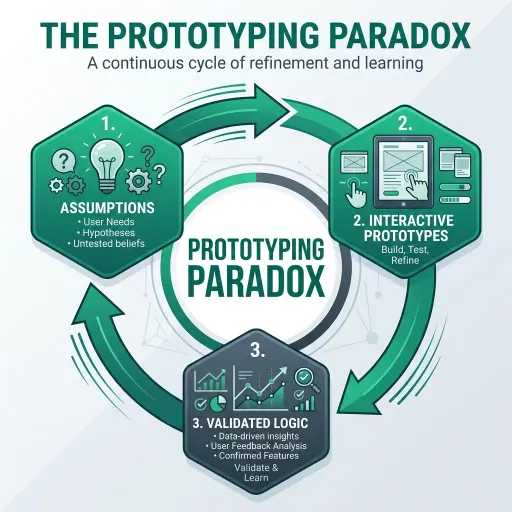
In the early stages of product development, there is a dangerous comfort found in high-fidelity static mockups. They look polished, they feel complete, and they are exceptionally good at convincing stakeholders that the vision is sound. However, this is precisely where the Prototyping Paradox begins.
The paradox is simple: the more "finished" a static design looks, the less it actually tells you about how a product will feel, perform, or solve a user's problem.
The Illusion of Completeness
Static mockups (think JPGs or non-interactive Figma frames) are fundamentally snapshots in time. They capture the "ideal" state of a UI—perfect data, perfect alignment, and a singular, happy-path user flow.
When we rely on these for validation, we are testing the aesthetic, not the architecture. We ask users if they "like" the colors or if the layout "makes sense," but we fail to test the cognitive load of navigation or the friction of a complex data-entry task.
Breaking the Paradox with Functional Proofs
At BWS, we advocate for Functional Prototypes—interactive artifacts that prioritize logic and flow over pixel perfection. Here is why they are superior for risk mitigation:
- Testing the Transition, Not the State: In a real application, the experience lives in the transitions. How does a modal open? How does the sidebar respond to a collapsed state? Functional prototypes allow us to test the "in-between" moments that define user delight.
- Real Data, Real Friction: By piping real (or realistic) data into a prototype, we uncover edge cases that static designs ignore. Does the layout break when a user has 50 items instead of 5? Does the search feel responsive?
- The "Ah-Ha" Moment: Users cannot tell you how they feel about a product until they can actually use it. A functional prototype provides the tactile feedback necessary for a user to reach an emotional response—whether that's frustration or a breakthrough.
Strategy: The 1:10:100 Rule
We follow a basic economic principle in our lab:
- Change in Design: Costs $1.
- Change in Prototype: Costs $10.
- Change in Production: Costs $100.
By moving beyond static screens early, we identify logical flaws while they still cost $10 to fix, rather than $100 after the engineering team has already built the monolithic structure.
Conclusion
Don't let a beautiful mockup lie to you. If you want to validate a product idea, build something that moves, responds, and breaks. The goal of a prototype isn't to show what the product looks like—it’s to find out if the product should exist at all.
Interested in how we leverage rapid prototyping for SaaS ventures? Explore our SaaS Development solutions or see our Real-Time Collaboration case study for a look at functional logic in action.