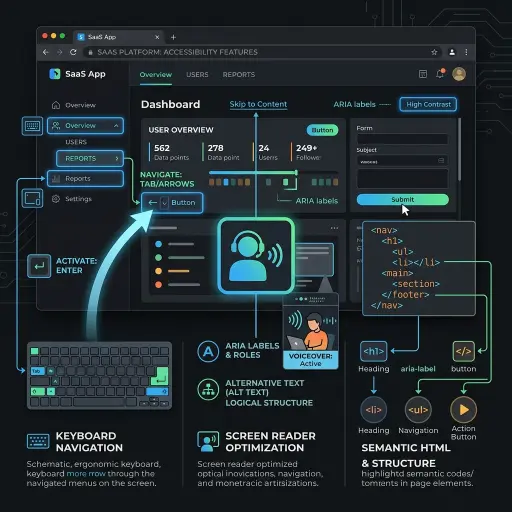
In many software development pipelines, "Accessibility" (or a11y) is tragically treated as a final, cumbersome checklist item—a chore performed primarily to dodge legal liabilities. This perspective fundamentally limits both the product's impact and its potential market capture.
At Broadway Web Services, we design with the philosophy that accessibility is core functionality, deeply intertwined with premium UX and robust SEO.
The True Cost of "Retrofitting" Accessibility
Building a complex application using nested generic <div> tags and onClick handlers, only to later attempt to retrofit ARIA labels for screen readers, is architectural technical debt. It requires reverse-engineering state management and manipulating the DOM in ways frameworks like React or Vue explicitly try to avoid.
Conversely, designing accessible forms, keyboards, and semantic structures from Sprint 1 requires essentially zero additional time—you simply use the right HTML tools for the job.
Why Accessibility Scales the Product
- The ultimate SEO booster: Search engine crawlers navigate the web almost identically to screen readers. If your SaaS relies on heavy JS frameworks without proper routing and heading hierarchies, Google cannot index you. A screen-reader friendly web app is natively SEO dominant.
- Beyond the Edge Cases: Accessible design creates universally superior experiences. When you mandate high color contrast ratios (WCAG AAA) for visually impaired users, you simultaneously improve the UX for a user trying to read their tablet in intense sunlight.
- Automated End-to-End Testing: Tests written via tools like Cypress or Playwright rely on predictable semantic structures (roles, aria-labels). Accessibility and testability are mathematically synonymous.
Key Practices for Immediate Integration
When kicking off a new SaaS build, mandate the following baseline rules across your frontend team:
- Radical Keyboard Support: No interactive element goes live unless you can navigate to it, trigger it, and exit it using only the Tab, Enter, and Escape keys.
- Focus States are Sacred: Never write
outline: nonein CSS without replacing it with a heavily styled, brand-compliant focus indicator. - Semantic Truth: A
<button>performs an action. An<a>handles navigation. Do not mix their fundamental browser roles just because "it was easier to style."
Summary
Inclusive software is better software. Treat accessibility as a first-class feature vector, not an afterthought. Designing for extreme variables historically yields solutions that benefit the middle of the bell curve—making your app fundamentally stronger for everyone.